MCP for Marketers: Give Your AI Reach Into the Tools Your Work Lives In
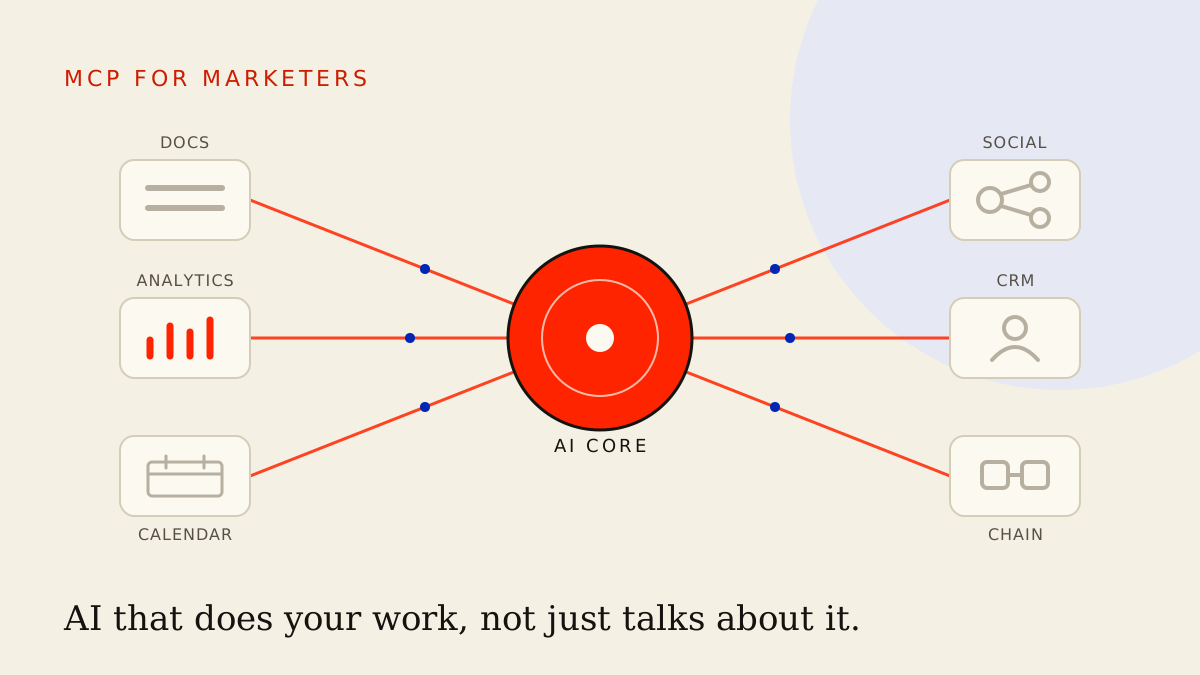
MCP lets AI read and write to your real tools — docs, analytics, scheduler, CRM. The leap from AI that talks about your work to AI that does it.
By Dylan Morrow
 Journalmcp
You hand the AI last week's numbers by copying them out of a dashboard, pasting them into a chat, and asking for a summary. Then you copy its answer back out, drop it into a doc, and reformat it. You are the wiring between your tools and your AI — a human cable, ferrying data back and forth all day.
MCP rips out that cable. It lets the AI reach into your tools directly: read the dashboard itself, draft into the doc itself, check the brand guide before it writes a word. This is the leap from AI that talks about your work to AI that does your work.
TL;DR
- MCP is the open standard that connects AI to your real tools — docs, analytics, scheduler, CRM, project tracker, even on-chain data — so it reads and writes for itself instead of waiting on your copy-paste.
- Connectors change the game because the AI works from live reality, not a stale snapshot you remembered to paste. It pulls this week's numbers, not last quarter's.
- Three use cases prove it fast: pull last week's analytics and draft the report, read the content calendar and fill the gaps, check the brand docs before drafting anything.
- Build order matters: start where content lives, prove read then write, then expand one connector at a time. Don't wire your whole stack on day one.
- Permissions and review gates are the whole safety story. Grant the narrowest access that works, keep humans on anything that ships or can't be undone.
What MCP actually is, without the jargon
MCP stands for Model Context Protocol. Forget the name. It's a standard plug — the USB-C of AI connections.
Before a universal plug existed, every tool needed its own custom adapter to talk to an AI, and most never got one. MCP gives every tool the same shape of plug, so an AI assistant can connect to your docs, your analytics, your scheduler, and your CRM through one common standard rather than a hundred bespoke hacks.
Here's what that buys you. The AI stops being a clever stranger you brief from scratch every time and becomes an assistant with hands. It opens your content calendar, reads it, spots the gap, and writes into it. It hits your analytics, pulls the real figures, drafts the report. It does the reaching, not you.
The word that matters is reach. A plain chatbot only works with what you paste into the box. An AI with MCP connectors has reach into the actual systems your work lives in.
Why connectors beat copy-paste
Copy-paste feels fine until you notice everything it quietly costs you.
It works from a snapshot, not the live truth. The moment you paste figures into a chat, they're frozen. Numbers shifted overnight? The AI has no idea — it's reasoning about a version of reality that expired hours ago. A connected AI pulls the current state every time it runs.
It loses everything between sessions. Paste your brand voice today, and tomorrow's blank chat has forgotten it. With a connector to your brand docs, the AI can re-read your guidelines on every task without you re-feeding them. The context stops evaporating.
It caps how much you can hand over. You'll paste three rows of a spreadsheet; you won't paste three hundred. So you summarise, the AI works from your summary, and any nuance you trimmed is gone. A connector lets it read the whole source and decide what matters.
And it makes you the bottleneck. Every step routes through your hands — fetch, paste, copy, file. The work moves at the speed of your tab-switching. Connectors take you out of the middle so the AI runs a multi-step job end to end while you watch the result, not the plumbing.
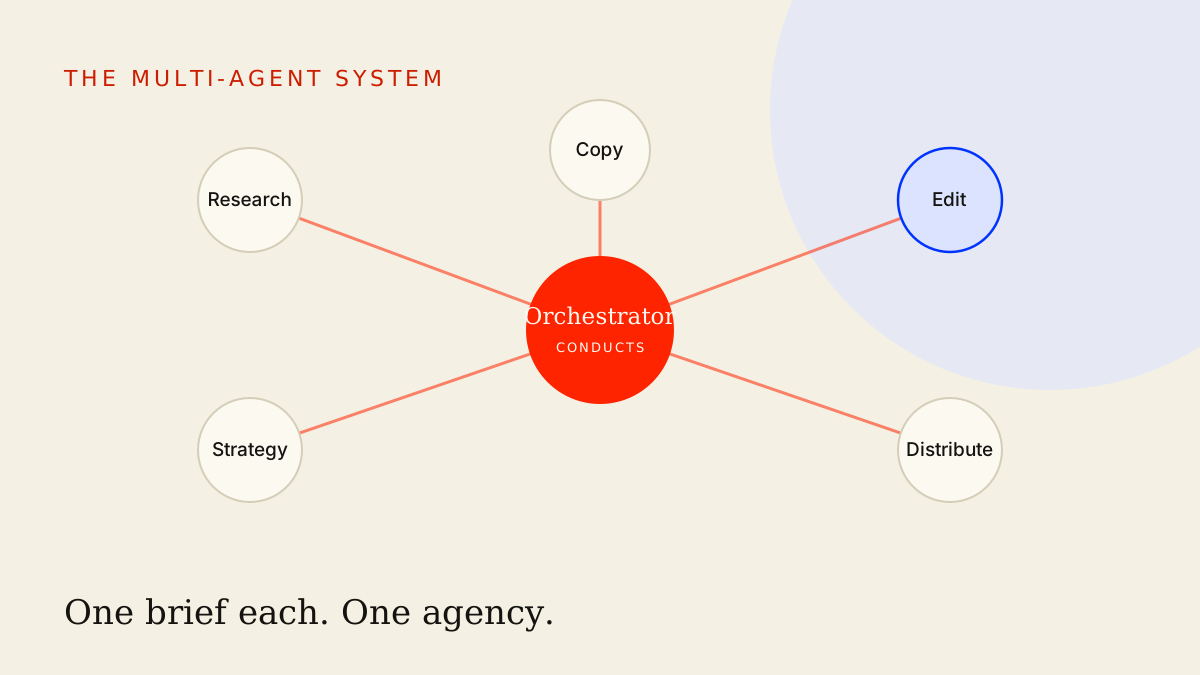
This is the same shift covered in the AI marketing orchestration playbook: you stop prompting tasks and start running systems. Connectors are the building block that gives the system reach.
Three use cases that earn their keep
Theory is cheap. Here's what changes the day you connect your first tools.
Pull last week's analytics and draft the report
The weekly performance report is the perfect first win because it's pure copy-paste drudgery today. You log into the dashboard, export the numbers, paste them somewhere, write the same narrative you wrote last week with different figures, and file it.
With an analytics connector, the AI does the fetching. You give it the brief once and it pulls the live numbers itself, every week, on schedule.
You have read access to my analytics and write access to my reports folder.

Pull last week's performance (Mon–Sun) for our owned channels:
reach, engagement rate, follower change, top 3 posts by saves.
Compare each metric to the prior week and to the 4-week average.

Then draft a report in my reports folder titled "Weekly Social — [week]":
- One-line headline: what actually moved and why it matters.
- A short "what worked" section tied to specific posts, by name.
- A short "what to watch" section: anything trending the wrong way.
- Three concrete recommendations for next week, each tied to a number.

Use only the figures you pulled. If a metric looks broken or missing,
flag it in brackets instead of guessing. Leave the draft for my review —
do not publish or share it anywhere.
Notice the last two lines. The AI reads the live data and writes the draft, but it doesn't ship anything — that gate stays with you. More on that below.
Read the content calendar and fill the gaps
Connect your content calendar and the AI can do something a chatbot never could: see what you've actually planned and reason about the holes in it.
It reads the next two weeks, notices you've got nothing scheduled for Thursdays, spots that you've covered product but ignored community, and proposes posts that fit the gaps — in the slots that are empty, on the themes you're light on. It's working from your real plan, not a hypothetical one.
This is also where your content repurposing system gets sharper. The AI can read what already went out, see what's scheduled, and make sure the repurposed posts it drafts don't repeat a beat you've already hit this week.
Check the brand docs before drafting a word
This one quietly fixes the most common complaint about AI content: it sounds generic.
It sounds generic because the model is guessing at your voice. Connect your brand docs and it stops guessing — it reads your actual guidelines, your banned phrases, your proof points, your tone notes, before it writes the first sentence. The brand brain stops being something you remember to paste and becomes something the AI checks by default.
If you want the deeper version of this, building a brand voice the AI will actually respect covers what to put in those docs so the connection has something real to read.
The build order: don't wire everything at once
The temptation is to connect your whole stack on day one and let the AI loose. Resist it. A system you don't understand is a system you can't trust. Build it in this order.
- Start where content lives. Connect the one tool you draft in — the doc, the notes app, the wiki. This is home base; everything else hangs off it.
- Prove read first. Ask the AI to read a brief and summarise it back. No writing yet. You're confirming it can see the right things before it can change anything.
- Prove write second. Let it draft into a clearly-marked scratch file or a draft folder. Confirm it puts the right content in the right place. A bad write into a draft is harmless; a bad write into your live calendar is not.
- Add one data source. Now connect analytics, read-only. The AI can pull numbers but can't touch anything. Run the weekly report a few times and watch it.
- Expand one connector at a time. Scheduler, CRM, project tracker — add them singly, prove each one, then move on. If something breaks, you know exactly which connection caused it.
The mistake is wiring the cathedral before you've proven a single light switch. Prove a clean read-and-write loop on one tool, then grow it. This is the same discipline as the build-first approach to AI workflows: make the small version real before you scale it.
Safety, permissions, and review gates
Reach is power, and power needs limits. Two controls carry the whole safety story.
Permissions: grant the narrowest access that works. Every connector should ask two questions — which tool, and read or write? Default to read-only. The AI almost never needs write access to do something useful, and read-only means the worst it can do is misread something, not break it. Only grant write where you've proven the output and you genuinely need the AI to put something somewhere.
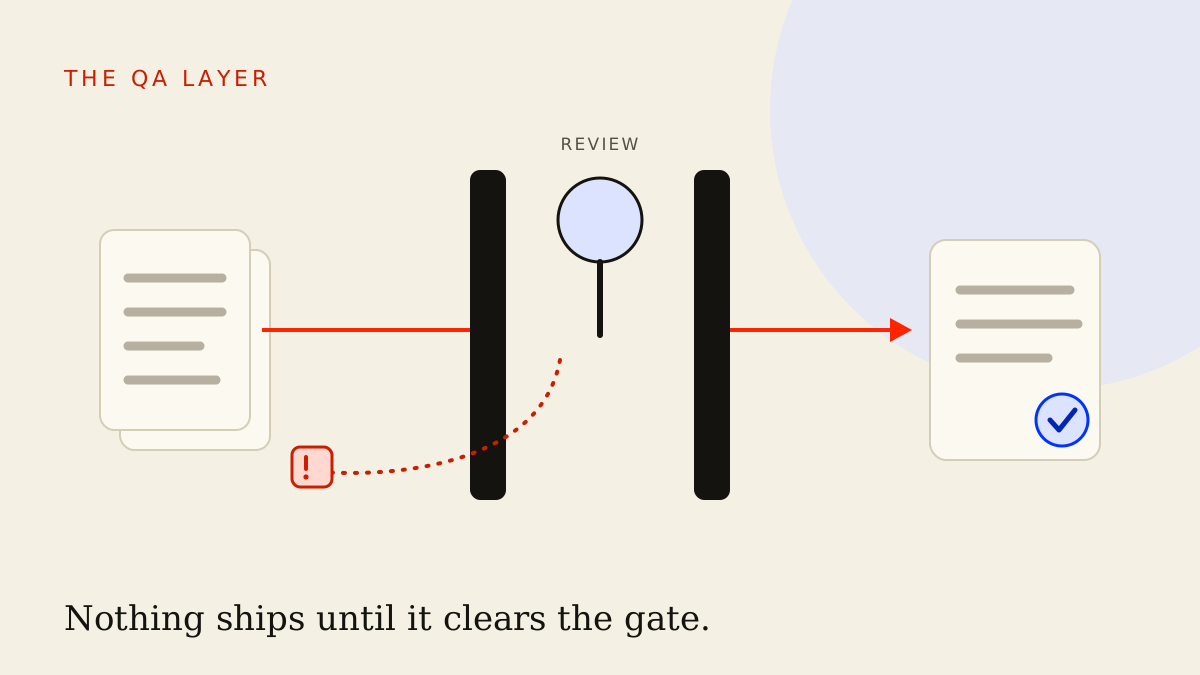
Review gates: keep a human on anything that ships or can't be undone. This is the rule that matters most. Let the AI auto-run the cheap, reversible steps — pulling numbers, summarising, drafting into a scratch file. Put your eyes on anything with consequences: a published post, an email send, a CRM record change, anything going out under a client's name. The cost of being wrong sets the height of the gate. A draft sitting in a folder is low-stakes. A scheduled post going live to ten thousand people is not.
The pattern to internalise: the AI does the reaching and the drafting; the human does the shipping. Connect tools so the AI can pull live data and prepare the work, then hold the publish, send, and overwrite actions for a person. That single line between "prepared" and "shipped" is where your judgement lives, and it's the line you should be most reluctant to automate away.
What to connect first
If you do nothing else this week, connect two things.
Where you write — the doc or notes app you draft in — read and write. This unlocks the most jobs because nearly every marketing task ends in a draft going somewhere.
Your analytics — read-only. This is the highest-leverage read connection because it's the one you copy-paste from most, and read-only means it's safe to grant immediately.
That's a complete first system: the AI can pull real numbers and draft real work into the right place, and it can't break anything because it can only write to your drafts. Everything else — scheduler, CRM, project tracker, on-chain data for the Web3 crowd — is an expansion you add once this core loop is boring and reliable.
Key takeaways
- MCP is a universal plug that lets AI connect to your real tools, turning an assistant that talks about your work into one that does it.
- Connectors beat copy-paste because the AI works from live reality, keeps its context between sessions, and takes you out of the middle as the human cable.
- Three use cases prove it fast: draft the weekly report from live analytics, fill the gaps in your content calendar, check brand docs before writing.
- Build in order: start where content lives, prove read then write, add one data source, then expand a single connector at a time.
- Permissions and review gates are the safety story: grant the narrowest access that works, and keep a human on anything that ships or can't be undone.
The marketers pulling ahead aren't the ones with cleverer prompts — they're the ones whose AI can reach the tools the work actually lives in. Connect where you write and where your numbers live this week, then read the orchestration playbook to wire those connectors into a full system, and use the brand voice guide to make sure the AI has something worth reading once it gets there.
Frequently asked
- What is MCP in plain language?
- MCP, or Model Context Protocol, is an open standard that lets an AI assistant connect directly to your real tools — your docs, analytics, social scheduler, CRM, project tracker. Instead of you copying data in and pasting answers out, the AI reads from and writes to those tools itself. It's the difference between an assistant that talks about your work and one that actually does it.
- Is MCP safe to use on real marketing tools?
- It is when you set it up properly. You control which tools the AI can reach and whether it can only read or also write. The discipline that matters most is keeping a human review gate on anything that goes public or is hard to take back — published posts, sends, CRM changes. Connect read-only first, watch it for a week, and only grant write access where you trust the output.
- Do I need to be technical to use MCP connectors?
- No. In 2026 most connectors are point-and-click inside the AI apps themselves — you authorise a tool the same way you'd connect any app to another. The hard part isn't technical setup; it's thinking clearly about your own workflows and deciding what the AI should be allowed to touch.
- What should a marketer connect first?
- Start with where your content lives — the doc, notes app, or wiki you draft in. Prove the AI can read your brief and brand notes and write a draft back into the right place. Once that read-and-write loop is reliable, add one analytics source so the AI can pull real numbers, then expand from there.
This is the thinking. The systems are the proof.
See how these ideas ship as working infrastructure.