Build Your First AI Marketing Workflow (No Code)
A beginner-friendly walkthrough for chaining AI steps into your first real marketing workflow — research to draft to distribution — with no code.
By Dylan Morrow
 Journalworkflows
You do not need code, a subscription to a new tool, or a developer to build your first AI marketing workflow. You need one recurring task you already hate doing, a chat window, and about an hour. By the end of this guide you'll have a reusable, three-step system you can run every week that turns a blank page into research, a draft, and ready-to-post content.
TL;DR
- A "workflow" is just a chain of prompts where each step's output becomes the next step's input — no automation software required to start.
- Pick one recurring task (we'll use "write a weekly newsletter"), then split it into three steps: research, draft, repurpose.
- Write a focused prompt for each step and paste the previous answer into the next to pass context forward.
- Save the three prompts together as a reusable template so the workflow runs the same way every time.
- Numbers here are illustrative ranges, not guarantees — your savings depend on the task, but most people cut a multi-hour job down to 10-15 minutes.
Why chain prompts instead of asking once?
Most beginners ask AI for the whole thing in one shot: "Write me a newsletter about DeFi this week." You get something generic because you crammed research, writing, and formatting into a single vague request.
Workflows beat one-shot prompts because each step gets its full attention. Research happens with a researcher's instructions. Drafting happens with an editor's instructions. Repurposing happens with a distribution mindset. You also get to inspect and fix the output between steps — catch a weak angle before it pollutes the final draft.
Step 1: Pick one recurring task
Don't try to automate your whole job. Pick a single task you repeat on a schedule and that follows a predictable shape every time. Good candidates for Web3 marketers:
- A weekly community newsletter or ecosystem recap
- A recurring "what happened this week" thread for X
- Turning each blog post into social snippets
For this walkthrough we'll build a weekly newsletter workflow. It maps cleanly onto research to draft to repurpose, and the structure transfers to almost anything else.
Step 2: Break it into three steps
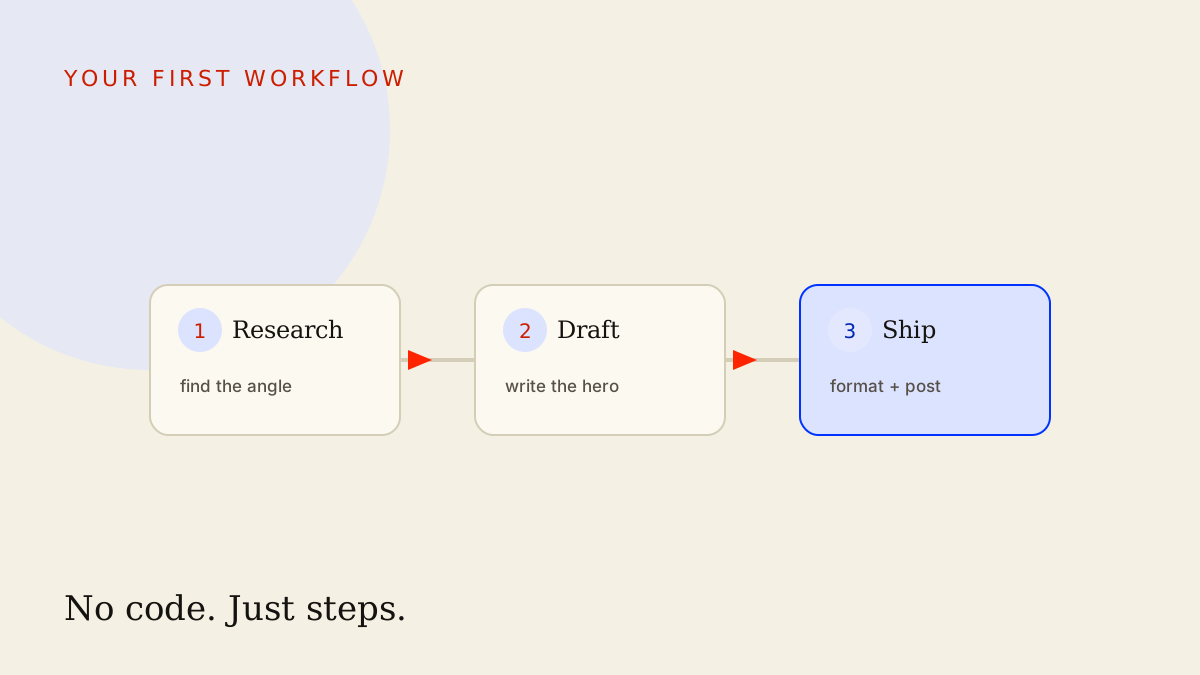
Every content workflow fits the same skeleton:
- Research — gather the raw material and decide the angle.
- Draft — turn the research into a real piece of writing.
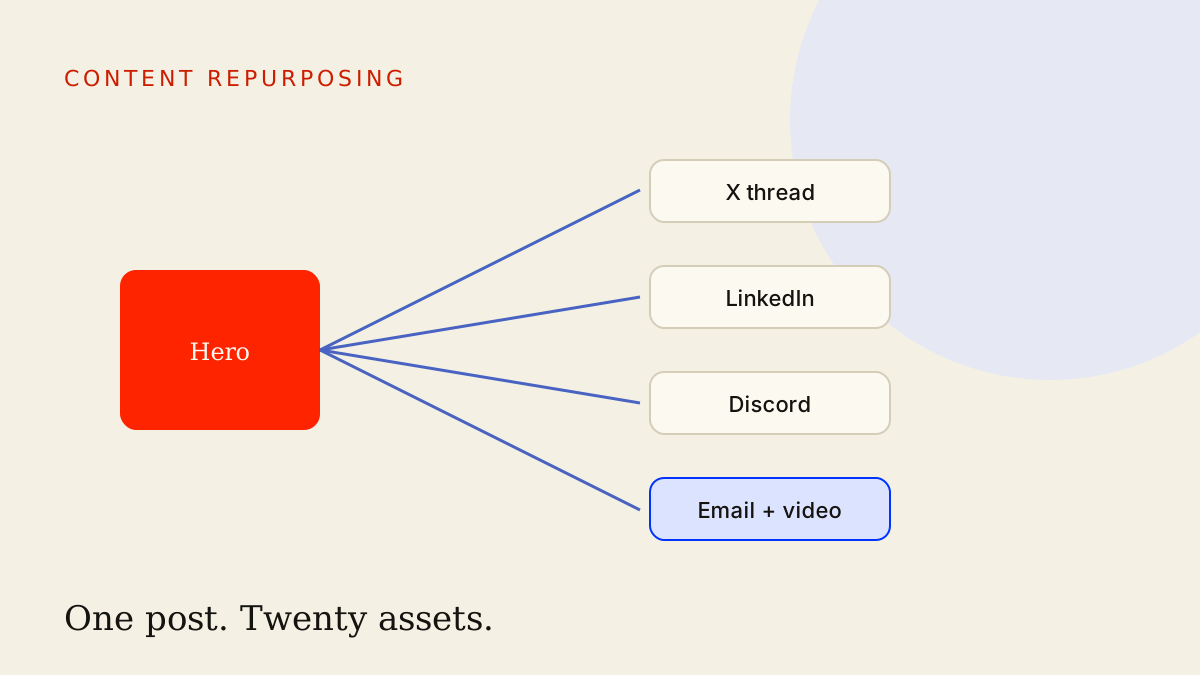
- Repurpose — reshape the draft into the formats your channels need.
Keeping it to three steps matters. More steps means more places to break and more to maintain. Three is enough to get quality without turning your workflow into a machine you're afraid to touch.
Step 3: Write a prompt for each step
Here's the key skill: each prompt should do one job well and end by handing off cleanly to the next.
Prompt 1 — Research and angle
This prompt's job is to organize what you already know into an outline with a clear angle. (If your AI tool has web access, you can let it pull recent context; if not, paste in the links and notes you've gathered.)
You are my research assistant for a weekly Web3 marketing newsletter.

Audience: crypto-curious marketers and founders, smart but time-poor.
This week's raw material (links, notes, headlines):
<paste your notes here>

Do three things:
1. Identify the 3 most newsletter-worthy stories or themes from the material.
2. For each, write a one-sentence "why this matters to my reader" angle.
3. Recommend ONE story as the lead, and explain in 2 sentences why.

Output as a clean outline I can hand to a writer. Ask me one
clarifying question if the material is thin.
Run it, read the outline, and fix the angle now if it's off. This is the cheapest place to correct course.
Prompt 2 — Draft
Now you pass the research forward. Copy the outline from Prompt 1 and drop it into the <outline> slot below. That copy-paste is the entire trick to "chaining" — the previous step's output is this step's input.
You are my newsletter writer. Use ONLY the outline below — do not
invent stats, quotes, or events that aren't in it.

Outline:
<paste the output from Prompt 1 here>

Write a ~400-word newsletter in a direct, friendly, no-hype voice.
Structure:
- A subject line and a one-line preview.
- A short lead on the top story.
- 2 brief secondary blurbs.
- A one-line sign-off with a single call to action.

Keep sentences short. No buzzwords like "revolutionary" or
"game-changer." If something in the outline is unclear, flag it in
brackets instead of guessing.
Notice the guardrail: "do not invent stats, quotes, or events." Always tell the model to stick to the material you gave it. That single line prevents most of the made-up "facts" that get marketers in trouble.
Prompt 3 — Repurpose
The draft is done. Now reshape it for distribution. Paste the newsletter from Prompt 2 in and ask for the formats your channels actually use.
Tell it: "Using the newsletter below, write a 5-post X thread and 3 short LinkedIn variants. Keep the same facts, no new claims. Match each platform's tone."
That's the whole loop. Research fed the draft, the draft fed the repurposing. Context flows downhill.
Step 4: Pass context between steps cleanly
Two reliable ways to hand off:
- Same conversation: stay in one chat thread and reference "the outline above." The model remembers earlier messages, so you can just say "now write the draft from that outline."
- Fresh conversation: start a new chat per step and paste the prior output into the prompt's placeholder. This keeps each step focused and is easier to debug.
Beginners should start with one conversation, then switch to fresh chats once you want cleaner, more consistent results.
Step 5: Save it so it's reusable
A workflow you can't re-run isn't a workflow — it's a lucky afternoon. Save your three prompts together, in order, somewhere you'll find them:
- Put all three prompts in one document titled "Weekly Newsletter Workflow."
- Mark the paste-here placeholders clearly (the
<...>slots). - Add a one-line note at the top: what this does, and what to paste where.
Next week you open the doc, run the three prompts in sequence, and you're done. That's the difference between using AI and orchestrating it.
Common mistakes
- Asking for everything in one prompt. You'll get generic output. Split the job.
- Not reading the output between steps. Errors compound. A bad angle becomes a bad draft becomes 8 bad social posts.
- No guardrails against invented facts. Always include "use only the material I gave you." Then still verify anything that looks like a specific number or quote.
- Over-engineering on day one. Don't reach for automation platforms yet. Prove the manual version works first.
- Never saving the prompts. If it lives only in a chat history you'll never find again, you'll rebuild it from scratch every time.
Key takeaways
- A workflow is just chained prompts where each output feeds the next — you can build one today with zero code.
- Use the universal skeleton: research, draft, repurpose.
- Read and fix between steps so errors don't compound.
- Add an anti-hallucination guardrail to every drafting prompt and verify specifics.
- Save the prompts as a template so it's repeatable — that's what makes it a system.
Your next move
Pick one recurring task this week and run it through these three prompts. Once it's working, level up: browse the curriculum for the full orchestration path, grab tested starting points from the prompt library, and explore reusable building blocks in the skills hub. When you're ready to push the repurpose step further, read our deep dive on the AI content repurposing system.
Frequently asked
- Do I need to know how to code to build an AI marketing workflow?
- No. The workflow in this guide runs entirely inside a chat interface like Claude or ChatGPT, using nothing but text prompts. You only graduate to no-code automation tools later, once the manual version is already proving its value.
- What is the difference between a prompt and a workflow?
- A prompt is a single instruction you give an AI, while a workflow is a repeatable chain of prompts where each step feeds the next. The workflow is what turns one-off clever answers into a system you can run the same way every week.
- Should I use Claude or ChatGPT for this?
- Either works for this walkthrough, and the prompts are written to be model-agnostic. Many marketers keep both open and route long-form drafting to one and quick reformatting to the other, but you can complete the entire workflow in a single tool.
- How long does it take to build my first workflow?
- Building the first version takes roughly 30 to 60 minutes, mostly spent refining the three prompts. After that, running the workflow on a new topic usually takes 10 to 15 minutes instead of the hours the task used to cost you.
This is the thinking. The systems are the proof.
See how these ideas ship as working infrastructure.