Claude Skills: How to Turn Your Best Workflows Into Buttons
Stop re-typing prompts. Learn to turn your best repeated marketing workflows into named, reusable AI skills that run the same way every single time.
By Dylan Morrow
 Journalclaude
You can feel the ceiling. You write a clever prompt, get a decent draft, tweak it twice, and ship. Then tomorrow you open a blank chat and do the whole dance again, from scratch, forever. The work is good but it never compounds, because nothing you learned yesterday is saved anywhere a machine can re-run it today.
TL;DR
- A skill is a saved, named, reusable procedure the AI runs the same way every time — the upgrade from re-typing prompts.
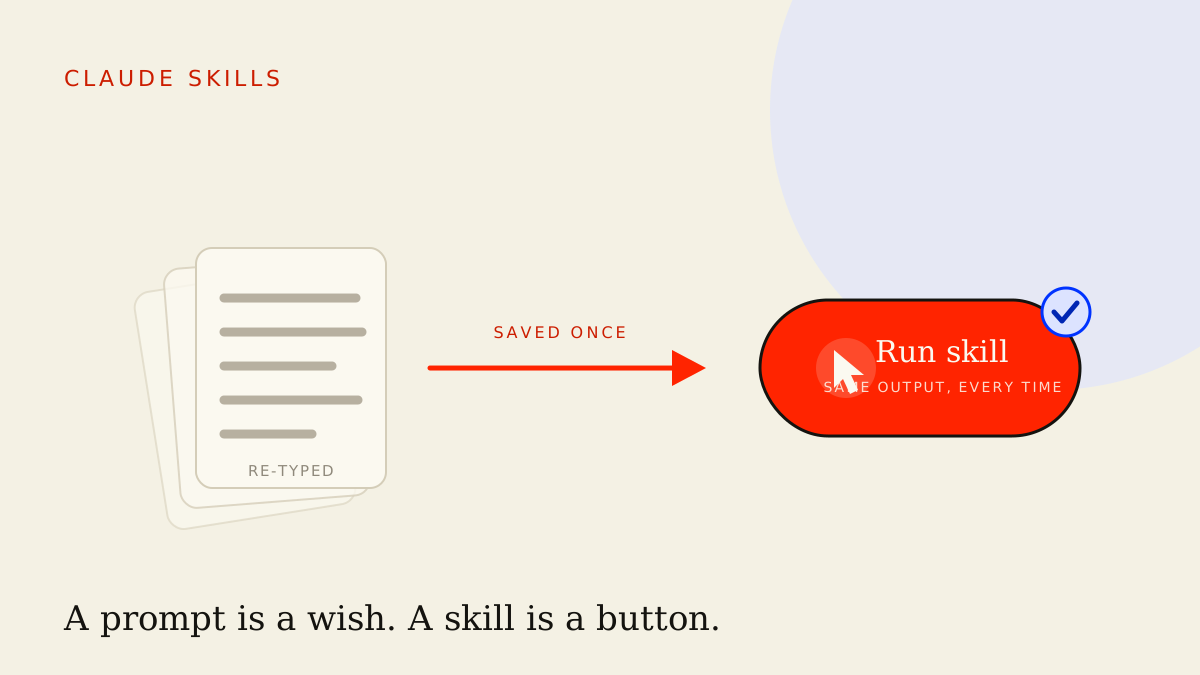
- A prompt is a wish, a skill is a button. "Write a tweet" hopes for the best; a fully-specified skill removes the guesswork and returns the same shape of output on demand.
- Anatomy of a good skill: a name, a when-to-use trigger, explicit inputs, a step-by-step procedure, a defined output format, and one or two worked examples.
- Extract skills from the work you already repeat — watch one week, find the tasks you do more than twice, and write the procedure down once.
- Skills are team infrastructure. Version them, improve them, and share one library so everyone runs the same playbook instead of their own private prompt.
Prompt vs skill vs workflow
These three words get used interchangeably and it costs you. They are different units of leverage, and knowing which one you're building tells you how much it will pay back.
A prompt is a single instruction. "Write me five subject lines for this email." It's disposable — you tune it in the moment, get an answer, and the knowledge evaporates when you close the tab. Useful, but it doesn't accumulate.
A skill is a saved, named procedure for one repeatable job. It has a fixed set of inputs, a defined sequence of steps, and a specified output format. "Generate subject-line variants" stops being a thing you improvise and becomes a thing you run — the same way, with the same quality bar, whether you're fresh or fried.
A workflow is several skills chained together. Research, then draft, then repurpose. Each link is a skill in its own right; the workflow is the assembly line that passes output from one to the next. If you've already built a first AI marketing workflow, a skill is what each station on that line should actually be made of.
The progression matters: prompts make a workflow; skills make a workflow you can trust. Loose prompts break differently every time someone runs them. A workflow built from skills behaves the same on Tuesday as it did last month.
Why "write a tweet" is a wish but a skill is a button
Type "write a tweet about our new feature" into any model and you'll get something. But you'll get a different something every time — different length, different hook style, different number of hashtags, sometimes an emoji, sometimes a claim you'd never actually make. You're gambling, and you re-roll the dice on every run. That's a wish: you're asking the model to guess the hundred decisions you didn't specify, and it guesses differently each time.
A button is the opposite. A button is what's left when you've made every decision in advance and written it down. Length is fixed. Hook style is named. Hashtag count is set. The brand voice is referenced. The "never say this" list is attached. Now the same input produces the same shape of output, every time, for anyone who presses it.
This is the whole game. The value isn't that the model is smarter — it's that you've moved the thinking out of the moment and into the spec. You decide once, carefully, when you're not under deadline pressure. Then you spend that decision a thousand times for free.
Anatomy of a good skill
A skill that actually behaves like a button has six parts. Skip any of them and you're back to wishing.
1. A name
Short, verb-led, and obvious. "Subject-Line Generator", "Weekly Recap Drafter", "Carousel Outliner". The name is how you'll find it and how a teammate will know what it does without opening it. If you can't name it in three words, the skill is doing too many jobs — split it.
2. A when-to-use trigger
One line that tells you (or the model) when this skill is the right tool. "Use when you need email subject lines for a campaign send." This is what lets you build a library you can navigate, and what lets an orchestration layer pick the right skill automatically instead of you remembering it exists.
3. Explicit inputs
List exactly what the skill needs to run, with placeholders. Email body. Target audience. Desired tone. The offer. Naming inputs is what turns a vague request into a reliable function — it forces you to hand over the same raw materials every time, so the output stops drifting because the input stopped drifting.
4. A step-by-step procedure
The actual sequence the model should follow, in order. Not "write good subject lines" but "first identify the single strongest benefit; then write five variants across these five angles; then flag the riskiest claim." Steps are where your expertise lives. This is you encoding how you do the job well, so the model does it your way and not its average way.
5. A defined output format
Specify the exact shape you want back. A numbered list. A table with these columns. Markdown with these headings. A defined format is what makes the output usable downstream without reformatting — and it's what lets one skill's output become the next skill's input cleanly.
6. One or two examples
A single worked example does more than a paragraph of instruction. Show one input and the ideal output beside it. The model pattern-matches to your example far harder than to your rules, so a good example is the cheapest quality upgrade you can add.
A worked example skill
Here's the whole thing assembled. This is a real, paste-ready skill spec — the kind of plain-text procedure you keep in a shared doc and drop into Claude or ChatGPT whenever the job comes up.
SKILL: Subject-Line Generator
WHEN TO USE: You have a finished marketing email and need
            subject-line options for the send.

INPUTS (paste all three):
  - email_body: the full copy of the email
  - audience: who's receiving it, in one line
  - primary_goal: the one action you want (open, click, reply)

PROCEDURE:
  1. Read the email and identify the single strongest benefit
     to the reader. State it in one sentence before writing.
  2. Write 7 subject-line variants, one per angle below:
       curiosity, direct-benefit, urgency, question,
       social-proof, contrarian, plain-spoken.
  3. Keep every line under 50 characters. No emoji.
     No words from the BANNED list.
  4. Flag any line that implies a claim not supported by the
     email body — rewrite it to be true, don't delete the angle.
  5. Pick your single best line and say why in one sentence.

BANNED WORDS: revolutionary, game-changer, unlock, supercharge,
              don't miss, act now.

OUTPUT FORMAT:
  - One line: "Strongest benefit: <...>"
  - A markdown table: | # | Angle | Subject line | Chars |
  - One line: "Recommended: #<n> — <reason>"
Read that and notice what's happened. Every decision you'd normally re-make under deadline is already made. The angles are chosen, the length is capped, the banned words are listed, and the honesty guardrail in step four is baked in. The output is a table you can paste straight into a brief. You stopped wishing and built a button — and anyone on your team can press it and get the same thing you would.
That guardrail in step four is not optional. The same discipline you'd apply when you measure AI marketing ROI belongs inside the skill itself: tell it to rewrite unsupported claims rather than guess, and you catch most invented "facts" before they ever leave the skill.
Extract skills from the work you already repeat
You don't invent skills. You find them — they're already hiding in your week as the tasks you keep doing by hand.
Run a one-week audit. Keep a running note and every time you open a chat to do something, jot down what it was. At the end of the week, look for repeats. Anything you did more than twice, that followed a roughly predictable shape, is a skill waiting to be written.
For most marketers the list looks like this: turning a blog post into social snippets, drafting the weekly recap, writing first-pass ad variations, summarising a call into action items, reformatting a long piece into a thread. These aren't creative one-offs. They're procedures you happen to perform with your hands — which is exactly the work a skill captures.
Start with the most boring, highest-frequency one. The payback isn't about the impressive task; it's about the frequent one. A skill you run twice a week beats a clever skill you run twice a year. Once the boring button works, build the next.
When you write the first version, just narrate what you actually do: open a real example, do it well by hand, and write down each move as a step. That transcript is your first procedure — clean it up into the six-part shape and you have version one.
Versioning and improving skills
A skill is not finished when you write it. It's finished when it stops surprising you — and getting there takes a few rounds.
Treat every skill as versioned. Put a version number or a date at the top and keep a one-line changelog. "v2 — added the banned-words list after it kept writing 'game-changer'." This sounds like overkill until the day a skill that worked last month starts producing worse output and you have no idea what changed. The changelog is your undo button.
Improve skills from failures, not feelings. When a skill returns something off, don't just fix that one output by hand — that's the trap that keeps you re-typing forever. Instead, ask: what instruction, added to the spec, would have prevented this? Then add it. Every failure you convert into a line of the procedure is a failure that can never happen again, because each fix is permanent.
This is the compounding you were missing at the start. A prompt you tune in the moment teaches you nothing tomorrow. A skill you tune accumulates every lesson you've ever taught it. Six months in, your best skills encode dozens of hard-won corrections you'd never remember to type from scratch.
Sharing skills across a team
Here's where skills stop being a personal productivity trick and become real leverage. A skill is portable expertise. Once your best subject-line procedure exists as a spec, anyone can run it and get your quality — not their quality, yours.
The unlock is a single shared library. Keep every skill in one place the whole team reads from — a shared doc, a Notion database, a saved-projects folder, whatever you'll actually maintain. The library, not anyone's private chat history, is the source of truth. When someone improves a skill, they improve the shared copy, and the next person to run it inherits the upgrade for free.
This is what flips the dynamic from "we have a few people who are good at prompting" to "everyone runs the same playbook." The output stops depending on who's holding the keyboard. Your weakest operator running a strong skill beats your strongest operator improvising — and that's the whole point of building infrastructure instead of hoarding tricks.
It also makes your work visible. A folder of named, versioned skills is something you can show a boss or a client. "Here's the library of procedures my team runs" is a far stronger claim than "I'm good with AI." One is a vibe; the other is a system you can point at.
Where skills sit inside a larger orchestration system
Skills are the components. They're not the whole machine.
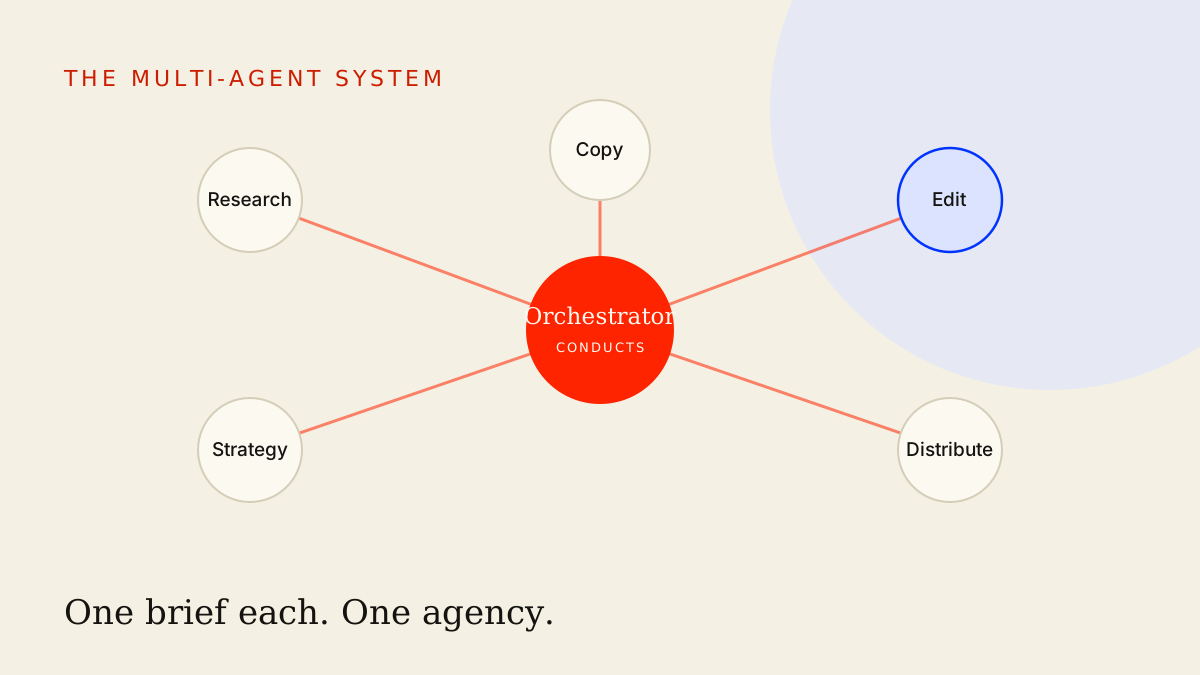
Zoom out and the picture is layered. Skills are the reusable parts. Workflows chain skills into pipelines. Orchestration decides which workflow runs when, routes work between skills, and keeps a human in the loop where the stakes demand it. A skill is the smallest durable unit — the thing you'd want to exist before you wire anything together.
Build bottom-up. Get a handful of skills behaving like real buttons first, chain the related ones into a workflow, then let the orchestration playbook tie several workflows into a system that runs your function rather than just your tasks. Skip the skill layer and your orchestration sits on sand — you've automated the passing of unreliable output between unreliable steps, and it breaks in a new place every day.
So the order is the lesson. Skills first, because everything above them inherits their reliability. Get the buttons right, and the system you build on top of them is something you can trust to run without you watching.
Key takeaways
- A skill is a saved, named procedure with defined inputs, fixed steps, and a specified output — the durable upgrade from re-typing prompts.
- A prompt is a wish; a fully-specified skill is a button that returns the same shape of output every time, for anyone who runs it.
- Build skills with all six parts — name, when-to-use trigger, explicit inputs, step-by-step procedure, defined output format, and examples — or you're back to wishing.
- Extract skills from your real week by finding the boring tasks you repeat more than twice, and version them so every failure becomes a permanent fix.
- Share one library, not private chats — skills are portable expertise, and a team running the same playbook beats a team of lone prompters.
Stop re-typing and start saving. Find your three most-repeated tasks this week and write each one up as a real skill, then chain the related ones into your first workflow, bake your brand voice into the ones that write in public, and let the orchestration playbook tie the whole library into a system.
Frequently asked
- What is the difference between a prompt and a skill?
- A prompt is a one-off instruction you re-type and re-tune every time. A skill is a saved, named procedure with defined inputs, a fixed sequence of steps, and a specified output format, so the same task runs the same way every time. A prompt is a wish; a skill is a button.
- Do I need a developer or special tooling to build a skill?
- No. A skill is mostly discipline, not technology. At its simplest it is a clearly-written document you paste into Claude or ChatGPT: name, when-to-use trigger, inputs, steps, and output format. You only reach for saved projects, custom GPTs, or automation tools once the plain-text version already works.
- How do I know which workflows to turn into skills?
- Watch one week of your own work and mark every task you do more than twice that follows a predictable shape. Those repeats are your skill candidates. Start with the highest-frequency, most boring one, because that is where a button pays back fastest.
- How do I share skills across a team?
- Keep skills in one shared library everyone reads from, version them so changes are visible, and treat the library as the source of truth rather than people's private chat histories. When everyone runs the same skill, the whole team produces the same quality of output instead of depending on who happens to be good at prompting.
This is the thinking. The systems are the proof.
See how these ideas ship as working infrastructure.